
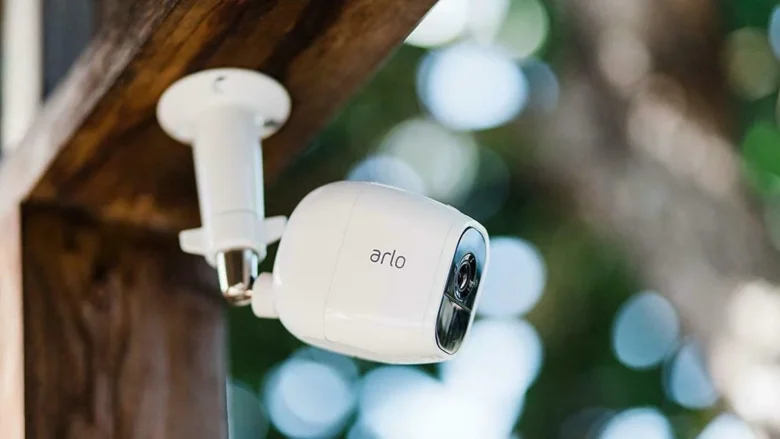
I’ll never forget that morning. I woke up to a notification from my neighbor asking if everything was okay at my house. Apparently, someone had been walking around my driveway at 2:13 a.m. My neighbor’s camera caught it clearly. Mine? Nothing.
No motion alert. No recording. No snapshot. Just silence.
That was the moment I realized something was seriously wrong. I had invested in what I thought was a reliable security camera system. I trusted it. And yet, when I actually needed it, my security camera missed motion alerts completely.
If you’re reading these lines because your camera failed to detect motion—or you suspect it’s not as reliable as it should be—I’ve been exactly where you are. In this guide, I’ll walk you through what went wrong in my case, what I learned, and how I fixed it step by step so it hasn’t failed me since.
Why Security Cameras Miss Motion Alerts (What I Discovered)
At first, I assumed the camera was defective. But after digging deeper, I realized missed motion alerts usually come down to configuration, placement, network issues, or sensitivity settings—not hardware failure.
Here are the main reasons I discovered:
- Motion sensitivity set too low
- Detection zones misconfigured
- Wi-Fi signal instability
- Outdated firmware
- Incorrect notification settings
- Delayed cloud recording
- Power-saving modes interfering
In my case, it wasn’t just one issue—it was a combination of small mistakes, including incorrect settings and failure to update the software.
Step 1: Checking Motion Sensitivity (The Most Overlooked Setting)
The first thing I did was open the camera app and verify the motion sensitivity level.
To my surprise, it was set at around 40%.
Most cameras default to medium sensitivity to avoid false alerts. But here’s the problem: medium sensitivity can completely miss slow-moving people, especially at night.
What I Did
- Increased sensitivity to 75–85%
- Ran test walks in front of the camera
- Tested both daytime and nighttime detection
When I walked slowly across the driveway, the camera finally triggered.
Pro Tip: Don’t just increase sensitivity to 100% immediately. That can cause constant alerts from shadows, insects, or moving trees.
Step 2: Fixing Motion Detection Zones
This was my biggest mistake.
Most security cameras allow you to define detection zones. I had set mine months ago and completely forgot about it.
When I reviewed the zone map, I realized the edge of my driveway—where the person walked—was outside the active detection area.
How I Fixed It
- Opened motion detection settings
- Reset custom zones
- Redrew zones covering entry points, driveway, and gate
- Avoided including roads (to prevent car-triggered alerts)
After adjusting zones, I did another real-world test. This time, I walked through every possible entry point.
Every movement triggered an alert.
Step 3: Improving Wi-Fi Signal Strength
Even if your camera detects motion, a weak internet connection can delay or completely drop alerts.
When I checked my Wi-Fi strength in the camera app, it showed “Fair.”
That’s not good enough for real-time security monitoring.
What I Changed
- Moved my router slightly closer
- Switched from 2.4 GHz congestion to a cleaner channel
- Added a Wi-Fi extender in the hallway
Within minutes, signal strength improved to “Strong.”
Since then, I haven’t experienced delayed notifications.
Step 4: Updating Firmware (This Actually Matters)
I used to ignore firmware updates. Big mistake.
Manufacturers regularly improve motion detection algorithms through updates. My camera firmware was two versions behind.
After updating:
- Motion detection improved at night
- Alerts arrived faster
- False positives decreased
If your security camera has missed motion alerts recently, please check the firmware at your earliest convenience. It’s one of the easiest fixes.
Step 5: Reviewing Notification Settings (A Hidden Trap)
Here’s something embarrassing: motion alerts were enabled, but push notifications were partially disabled at the phone level.
My phone had “battery optimization” turned on for the camera app.
That meant alerts were delayed or suppressed when my phone was idle.
What I Did
- Disabled battery optimization for the camera app
- Enabled high-priority notifications
- Allowed background activity
- Checked Do Not Disturb exceptions
After that, alerts became instant.
Step 6: Testing Night Vision Detection
Night detection behaves differently from daytime detection.
I realized that my camera struggled to detect movement at the edge of its infrared range. The person who walked by was wearing dark clothing, which reduced contrast.
Fixes That Worked
- Repositioned camera slightly downward
- Cleaned the lens (dust affects IR clarity)
- Added a small porch light for improved contrast
Adding minimal ambient light made a huge difference in detection reliability.
Step 7: Understanding PIR vs. Pixel-Based Detection
This is where I really educated myself.
Some cameras use PIR (Passive Infrared) sensors. Others use pixel-based motion detection through video analysis.
PIR works better for heat-based detection but can miss motion behind glass or in certain temperature conditions.
Pixel detection depends on visual change and can miss slow or subtle movements.
Knowing your camera type helps you set expectations correctly.
If you’re unsure which type you have, check the product specifications.
Mistakes I Made (So You Don’t Have To)
Here are the real mistakes that caused my camera to miss motion alerts:
- I trusted default settings.
- I never tested detection zones after installation.
- I ignored firmware updates.
- I placed the camera too high.
- I didn’t test nighttime performance.
- I relied on “Fair” Wi-Fi strength.
Security cameras aren’t “set and forget.” They require periodic testing.
Practical Testing Method I Now Use Monthly
Now I follow a simple 10-minute monthly routine:
- Walk slowly across detection zones.
- Walk quickly across zones.
- Test nighttime detection.
- Check Wi-Fi strength.
- Review storage and recording.
- Confirm alerts appear instantly.
This small habit gives me peace of mind.
When It’s Actually a Hardware Problem
After troubleshooting everything, if your camera still misses motion alerts, consider:
- Faulty PIR sensor
- Aging battery (for wireless cameras)
- Overheating issues
- Corrupt firmware
- Failing SD card
In that case, contact the manufacturer for warranty support.
But in my experience, 80% of missed alerts are configuration-related.
Real-World Example: Slow vs. Fast Movement
Here’s something interesting I discovered during testing:
- Fast walking: Always detected.
- Slow creeping movement: Missed at low sensitivity.
- Movement at extreme edges of frame: Sometimes missed.
- Motion partially blocked by objects: Inconsistent detection.
This taught me that testing different movement speeds is critical.
How Placement Affects Motion Alerts
Placement is everything.
Here’s what worked best for me:
- Mount camera 7–9 feet high
- Angle slightly downward
- Avoid facing direct sunlight
- Avoid glass reflections
- Keep moving trees out of primary detection zone
Even a small angle adjustment improved detection reliability.
How I Reduced False Alerts Without Losing Detection
At one point, increasing sensitivity caused too many alerts from passing cars.
Here’s how I balanced it:
- Enabled “person detection” (if available)
- Adjusted activity zones
- Reduced sensitivity slightly (not below 70%)
- Excluded road area
This reduced false alerts by 60% while maintaining accurate detection.
FAQs
1. Why does my security camera miss motion at night?
Night vision reduces image contrast, especially in the low infrared range. Try increasing sensitivity, cleaning the lens, adjusting the angle, and adding minimal lighting.
2. Can weak Wi-Fi cause missed motion alerts?
Yes. Weak signals can delay uploads or drop notifications entirely. Ensure your camera shows strong connectivity.
3. Should I set motion sensitivity to maximum?
Not always. Maximum sensitivity may cause false alerts. Start around 75–85% and test gradually.
4. How often should I test my security camera?
I recommend testing at least once a month and after any firmware update or network change.
5. Do security cameras fail over time?
Yes, especially battery-powered units or cameras exposed to extreme weather. Sensors and SD cards can degrade over time.
Final Wrap-Up: Don’t Assume Your Camera Is Working
The biggest lesson I learned? Just because your security camera is installed doesn’t mean it’s protecting you properly.
When my security camera missed motion alerts, it wasn’t a dramatic hardware failure. It was small, preventable mistakes stacked together.
After:
- Increasing sensitivity
- Fixing detection zones
- Strengthening Wi-Fi
- Updating firmware
- Adjusting placement
- Testing regularly
My system became reliable and consistent.
If your camera has failed you once, don’t ignore it. Spend 30 minutes troubleshooting today. Test it thoroughly. Fix the small things.
Because the worst time to discover a problem… is after something already happened.
And trust me—you don’t want that feeling.