Smart home devices have quietly become part of our daily lives. From smart TVs and speakers to security cameras, doorbells, lights, and thermostats, these devices promise comfort, automation, and control. But here’s the uncomfortable truth most people don’t realize early enough: every smart device connected to the internet is also a potential security risk.
Many users assume hacking only happens to big companies or tech experts. In reality, smart homes are often targeted because they’re easy to access when security basics are ignored. The good news? You don’t need to be a cybersecurity professional to protect your smart home. With a few practical steps and smart habits, you can secure your devices easily and confidently.
This guide explains how to secure smart home devices step by step, using simple language, real-world examples, and proven best practices that actually work.
Why Smart Home Security Matters More Than Ever
Smart home devices collect data constantly. They know when you’re home, what you say, how you move, and sometimes even what you watch. If this data falls into the wrong hands, it can lead to privacy invasion, identity theft, or even physical security risks.
Common risks include:
- Unauthorized access to cameras and microphones
- Hackers controlling smart locks or lights
- Data leaks from poorly secured apps
- Malware spreading through your home network
Most security issues don’t happen because devices are “bad,” but because they are set up incorrectly or left unprotected.
Start With Your Wi-Fi Network Security
Your Wi-Fi network is the foundation of your smart home. If it’s weak, every connected device becomes vulnerable.
Step-by-step Wi-Fi security basics
- Change the default router username and password
- Use a strong Wi-Fi password (at least 12 characters)
- Enable WPA2 or WPA3 encryption
- Disable WPS (Wi-Fi Protected Setup)
- Keep your router firmware updated
A strong network acts like a locked front door—without it, smart devices don’t stand a chance.
Use Strong and Unique Passwords for Every Device
Many smart home breaches happen because users reuse the same password everywhere.
Why password reuse is dangerous
If one account is compromised, attackers can access all connected devices using the same credentials.
Best password practices
- Use unique passwords for each device and app
- Avoid common words or predictable patterns
- Use a password manager for convenience
- Change passwords at least once a year
This single habit dramatically reduces security risks.
Enable Two-Factor Authentication (2FA) Whenever Possible
Two-factor authentication adds an extra layer of protection by requiring a second verification step.
How 2FA protects your smart home
Even if someone steals your password, they still can’t log in without the verification code.
Where to enable it
- Smart home apps
- Cloud dashboards
- Manufacturer accounts
- Voice assistant accounts
Always choose app-based authentication over SMS when available.
Keep Firmware and Apps Updated Regularly
Outdated software is one of the biggest security weaknesses in smart devices.
Why updates matter
- Fix known security vulnerabilities
- Improve device stability
- Block newly discovered exploits
Simple update routine
- Enable automatic updates when possible
- Check device settings monthly
- Update apps from official app stores only
Delaying updates gives attackers time to exploit known flaws.
Separate Smart Devices on a Guest Network
This is one of the easiest and most effective security tricks most users ignore.
What is a guest network?
A separate Wi-Fi network that keeps smart devices isolated from your main devices like phones and laptops.
Benefits
- Limits damage if one device is hacked
- Protects personal data
- Improves network performance
Most modern routers allow guest networks with just a few clicks.
Review App Permissions and Privacy Settings
Smart home apps often ask for more permissions than they actually need.
Permissions to watch carefully
- Microphone access
- Camera access
- Location tracking
- Contact list access
What to do
- Deny unnecessary permissions
- Review settings after updates
- Disable data sharing options
Less access means less risk.
Secure Voice Assistants and Smart Speakers
Voice assistants are convenient, but they’re always listening for wake words.
Smart ways to secure them
- Disable voice purchasing
- Enable voice recognition profiles
- Mute microphones when not needed
- Review voice history regularly
This prevents unauthorized commands and accidental data exposure.
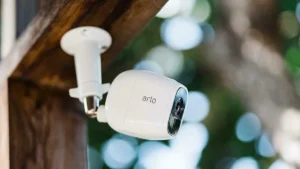
Protect Smart Cameras and Doorbells
Cameras are among the most targeted smart devices.
Essential camera security steps
- Change default camera passwords
- Enable encryption if available
- Disable public sharing links
- Update camera firmware frequently
Never leave cameras exposed to the internet without proper protection.
Remove Devices You No Longer Use
Old devices left connected are silent security risks.
What to clean up
- Unused smart plugs
- Old phones used as controllers
- Guest access accounts
- Expired integrations
Regular device audits keep your system clean and safe.
Buy Smart Devices From Trusted Brands Only
Cheap, unknown brands often lack proper security updates.
How to choose secure devices
- Check update history
- Read privacy policies
- Look for security certifications
- Avoid devices with no customer support
A lower price isn’t worth long-term security risks.
Watch for Signs Your Smart Home May Be Compromised
Early detection prevents bigger problems.
Warning signs
- Devices behaving strangely
- Lights turning on/off randomly
- Unknown users in app activity
- Sudden password change alerts
If you notice anything suspicious, reset devices immediately and change passwords.
Conclusion
Securing smart home devices doesn’t have to be complicated or expensive. Most security risks come from small oversights like weak passwords, outdated software, or unsecured Wi-Fi networks. By strengthening your network, enabling two-factor authentication, and keeping devices updated, you dramatically reduce the chances of unauthorized access. Separating devices on a guest network and reviewing permissions adds an extra safety layer. Smart homes should enhance comfort, not create anxiety. With simple, consistent steps, you can enjoy the convenience of smart technology while keeping your privacy and security fully intact. A secure smart home is not about fear—it’s about smart habits that protect what matters most.
Frequently Asked Questions
Can smart home devices be hacked easily?
Yes, if they are poorly secured. Most attacks succeed due to weak passwords or outdated firmware.
Do smart devices work without internet?
Some features may work locally, but most require internet access for full functionality.
Is a VPN useful for smart homes?
A VPN helps protect your network, but device-level security is still essential.
How often should I update smart devices?
Check monthly, or enable automatic updates whenever available.
Are smart homes safe for families?
Yes, when basic security practices are followed consistently.