Smart homes are no longer a futuristic luxury reserved for tech experts or big budgets. Today, anyone can turn an ordinary house or apartment into a smart, connected living space that saves time, improves security, and makes everyday life more comfortable. Still, many people hesitate because they don’t know where to start, what devices to buy, or how to set everything up without breaking something—or the bank.
If you’ve ever wondered how to set up a smart home system from scratch, this guide is for you. We’ll walk through the process step by step, explain common mistakes, and help you make smart choices that actually work in real life, not just in ads.
What Is a Smart Home System and How Does It Work?
A smart home system connects everyday devices—like lights, locks, thermostats, and cameras—to the internet so you can control them remotely or automatically. These devices communicate through Wi-Fi, Bluetooth, or dedicated smart home protocols and are usually managed from a single app or voice assistant.
At its core, a smart home system has three parts:
- Smart devices (lights, plugs, cameras, sensors)
- A control platform (mobile app or hub)
- Automation rules (actions that happen automatically)
The goal isn’t just convenience. A well-designed smart home improves safety, reduces energy waste, and simplifies routines without adding complexity.
Decide What You Want Your Smart Home to Do
One of the biggest beginner mistakes is buying random smart gadgets without a plan. Before purchasing anything, take a few minutes to think about your actual needs.
Ask yourself:
- Do I want better home security?
- Am I trying to save electricity and lower bills?
- Do I want hands-free control with voice commands?
- Am I focused on comfort, like lighting and temperature?
For example, if security is your main goal, smart locks and cameras should come first. If comfort matters more, smart lighting and thermostats make a bigger impact. Starting with a clear purpose prevents wasted money and frustration later.
Choose the Right Smart Home Platform
Your smart home platform is the system that controls everything. Most smart devices are designed to work with one or more of these popular platforms:
- Google Home – Great for Android users and voice control
- Amazon Alexa – Wide device compatibility and affordable options
- Apple HomeKit – Strong privacy and seamless Apple integration
Choosing one primary platform keeps your setup simple and avoids compatibility problems. While many devices support multiple platforms, sticking to one ecosystem makes automation smoother and easier to manage.
Check Your Internet and Wi-Fi Setup First
A smart home is only as reliable as your internet connection. Weak or unstable Wi-Fi is one of the most common causes of smart home issues.
Before adding devices:
- Make sure your router covers your entire home
- Update your router’s firmware
- Change default Wi-Fi passwords for security
If you live in a larger home, consider a mesh Wi-Fi system. Strong, consistent connectivity prevents devices from disconnecting or responding slowly.
Start Small with Essential Smart Devices
You don’t need to automate everything at once. In fact, starting small helps you learn how smart devices work together without feeling overwhelmed.
Good beginner devices include:
- Smart bulbs or smart switches for lighting
- Smart plugs for controlling appliances
- Smart speakers for voice control
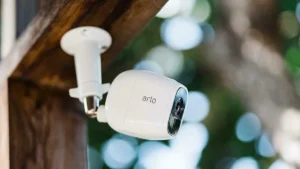
- Smart cameras or doorbells for security
These devices are usually easy to install and offer immediate benefits, making them perfect for first-time users.
Step-by-Step: How to Set Up Your First Smart Home Devices
Setting up smart devices doesn’t require technical skills if you follow a clear process.
Step 1: Install the App
Download the official app for your smart home platform or device brand from the app store.
Step 2: Create an Account
Sign in using a strong password and enable two-factor authentication if available.
Step 3: Power On the Device
Plug in or install the device according to the instructions.
Step 4: Connect to Wi-Fi
Use the app to connect the device to your home Wi-Fi network.
Step 5: Name and Organize
Give each device a clear name like “Living Room Light” to avoid confusion later.
Take your time with each step. Rushing setup often leads to connection problems that are easy to avoid.
Create Automations That Actually Help You
Automation is what turns a collection of gadgets into a true smart home. Automations allow devices to respond automatically to time, motion, or your location.
Useful automation ideas:
- Lights turn off automatically when you leave home
- Thermostat adjusts temperature based on time of day
- Outdoor lights turn on at sunset
- Security cameras activate when you’re away
Start with simple rules and adjust them as you learn what works best for your lifestyle.
Secure Your Smart Home System Properly
Smart homes add convenience, but they also require proper security. Ignoring basic safety steps can leave your network vulnerable.
Best security practices include:
- Using strong, unique passwords for all accounts
- Updating device firmware regularly
- Avoiding unknown or unverified apps
- Limiting device permissions
If your platform allows it, create a separate Wi-Fi network for smart devices to reduce risks.
Common Problems When Setting Up a Smart Home (and How to Fix Them)
Even the best systems can run into issues. Knowing common problems helps you solve them quickly.
Devices not connecting to Wi-Fi
This usually happens due to weak signal or incorrect passwords. Move the device closer to the router and double-check credentials.
Delayed or unresponsive commands
Network congestion or outdated firmware is often the cause. Restart your router and update devices.
Incompatible devices
Always check platform compatibility before buying new devices to avoid frustration.
Most issues are minor and easy to fix once you know what to look for.
Expanding Your Smart Home Over Time
Once you’re comfortable with the basics, you can expand your system gradually. Add devices that complement what you already have instead of starting over.
Consider adding:
- Smart locks for keyless entry
- Smart sensors for doors and windows
- Energy monitoring devices
- Smart appliances
A gradual approach keeps your system organized and reliable as it grows.
FAQs:
Is a smart home system expensive to set up?
No. You can start with a few affordable devices and expand over time based on your budget and needs.
Do smart homes work during internet outages?
Some basic functions may still work locally, but most features require an internet connection.
Are smart home devices safe to use?
Yes, when configured properly with strong passwords, regular updates, and trusted brands.
Can I install smart devices in a rented home?
Many smart devices are renter-friendly and don’t require permanent changes.
Do I need a smart hub?
Not always. Many devices connect directly through Wi-Fi, though hubs can improve reliability in larger setups.
Final Thoughts:
Setting up a smart home system doesn’t have to be complicated, expensive, or intimidating. With a clear plan, the right platform, and a step-by-step approach, anyone can create a smart home that fits their lifestyle.
Start by identifying your real needs instead of buying random gadgets.
Choose a reliable platform and ensure your internet connection is strong.
Begin with essential devices and learn how automation works in practice.
Secure your system properly to protect your data and privacy.
Expand slowly, adding only what improves your daily routine.
A smart home should simplify life, not create new problems.
When set up thoughtfully, it becomes a powerful tool for comfort, safety, and efficiency.